List fields in admin panel

I’m new to Grav (even though I’ve been discretely programming websites for many years). I currently have a problem with Grav that I cannot solve:

I want to have a list for a specific page in the admin panel—instead of the editor or in addition to the editor.
My blueprint works, but the data I enter into the list isn’t saved.

Here is a simplified example: its blueprint:

title: Termine
extends@:
  type: default
form:
  fields:
    tabs:
      fields:
        content:
          fields:
            replace@: true
            content: 
               type: list
               label: Terminliste
               fields:
                  zeit:
                     type: text
                     label: Zeit
                  bezeichnung:
                     type: text
                     label: Text
                  zusatz:
                     type: text
                     label: Zusatz

The admin panel with example entries:
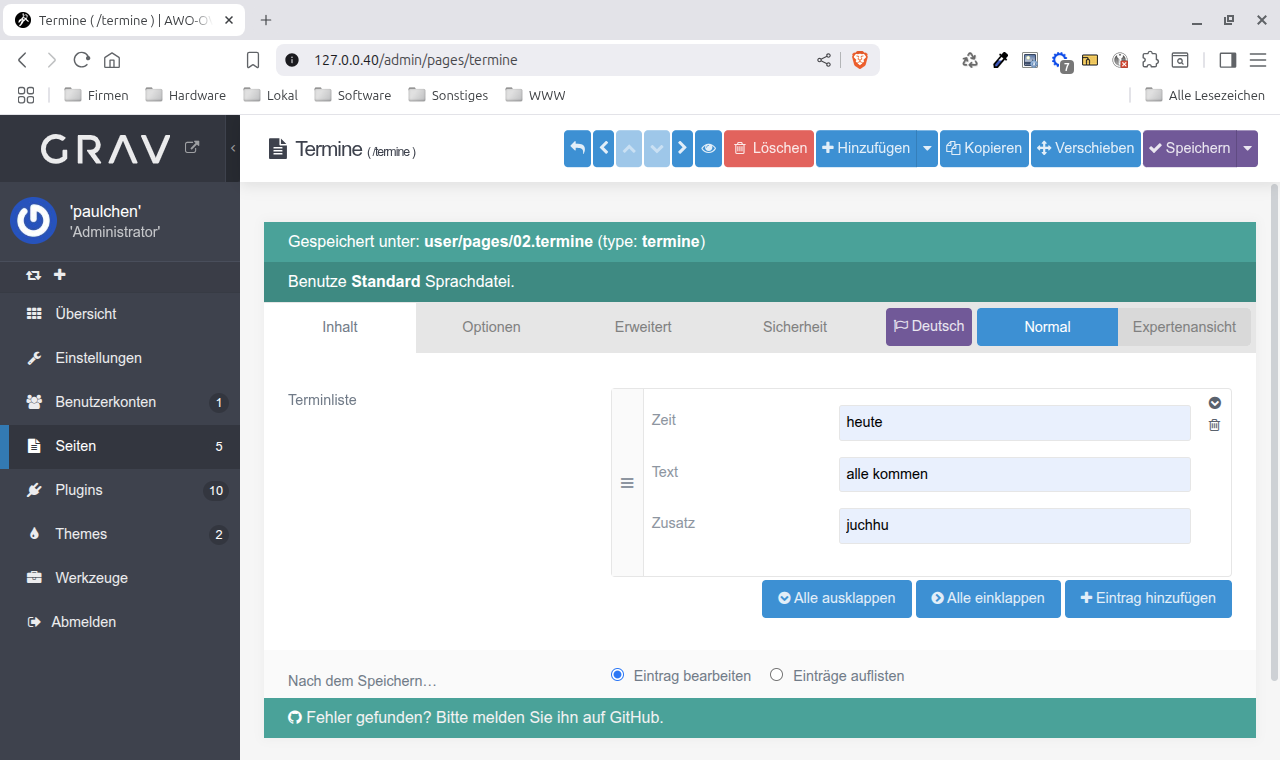
After “Save,” the panel closes; the data isn’t saved and isn’t included in the list when the panel is reopened. And not in /user/pages/termine.md:

---
title: Termine
---

For comparison: Instead of the list, I used a simple text field:

title: Termine
extends@:
  type: default
form:
  fields:
    tabs:
      fields:
        content:
          fields:
            replace@: true
            content: 
               type: text
               label: Termin

the admin panel: Sorry, I am not allowed to send a second screenshot here. But I promise, it works fine.

After saving, the panel remains open, the data is saved; in /user/pages/termine.md it says:

---
title: Termine
---

heute: alle kommen

What do I need to do to make this work with a list?

@paulchen, Grav expects a page file (*.md) to consist of frontmatter (formatted using yaml, which will be translated into object|null) and content (string|null). The content could contain Markdown, HTML, or plain text.

Grav doesn’t expect anything else as content and will probably ignore anything else than string|null.

If you want to save a structure, you should use the frontmatte, using something like:

fields:
  header.termine:
    type: list
    ... etc.

im not sure if its right word but you didnt make fields under list child of the list field so they will connect to list like content.zeit
example:

 content: 
               type: list
               label: Terminliste
               fields:
                  .zeit:
                     type: text
                     label: Zeit

spaces are probably wrong but you can make them 2spaces for each. also i want to point that i added “.” before the fields name to make it connected to its parent field.
i also had hard time while learning flex, i asked a lot about it and got a lot help but still there are so much to know because there are so much we can do with it. looking json file that flex creates to save data is really helpful for me.

Thank you for your quick answer.
It is exactly what I needed. I added a period at the beginning of the subfield names, and it works.
For completeness, here is my now functioning blueprint file termine.yaml:

title: Termine
extends@:
  type: default
form:
  fields:
    tabs:
      fields:
        content:
          fields:
             header.termine:
               type: list
               label: Terminliste
               fields:
                  .zeit:
                     type: datetime
                     label: "Wann:"
                  .titel:
                     type: text
                     label: "Wo:"
                  .zusatz:
                     type: text
                     label: "Was noch:"
                  .verweis:
                     type: url
                     label: "Siehe auch:"